
The transactions page gives you information about all the transactions that your account is involved in.
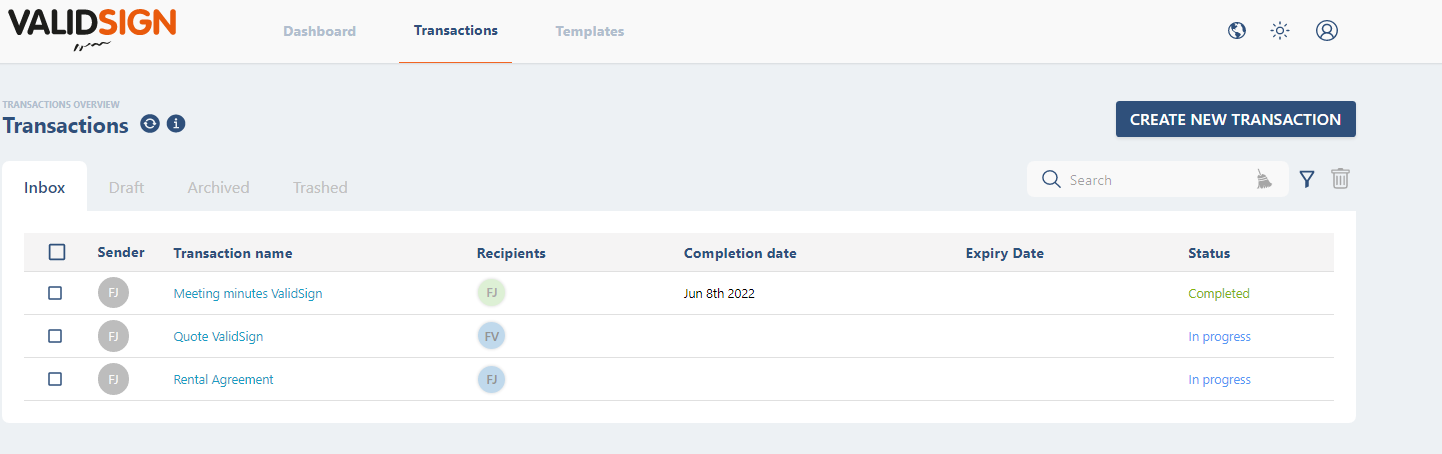
Inbox
The inbox gives you an overview of transactions that have been sent, these can be transactions that you have created yourself, but also transactions in which you are a recipient.
Draft
In draft you will see the transactions that you have created but not yet sent. You can compare this to the Drafts folder in Outlook.
Archived
Through archived you will see the transaction you have archived. This means that these transactions are no longer accessible to recipients. You can then delete or restore a transaction that has been archived to your inbox.
Trashed
If you have moved a transaction to the trash can, you can find it here. You can then decide whether you want to permanently delete or restore the transaction.
Filter
You can use the filter to sort transactions by status.

Search bar
You can use the search bar to search for one or more transactions. You can search by name of the sender or recipient of a transaction and by transaction name.

More information about a transaction or recipient
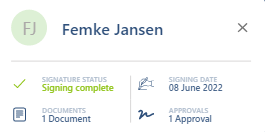
For more information about a transaction, you can click on the name of a transaction. You will then be redirected to the screen where you can adjust or view the settings of the transaction. For more information about a specific recipient, you can click on the initials of this recipient.
Do you have questions about the transaction overview? Contact us. This can be done via support@validsign.eu or 085 303 36 76.