
When you send multiple documents to multiple recipients in one transaction, you can choose to set visibility per signer. This feature is useful when a recipient only needs to sign one document (out of many). The other documents that are not relevant to that recipient are therefore not shown.
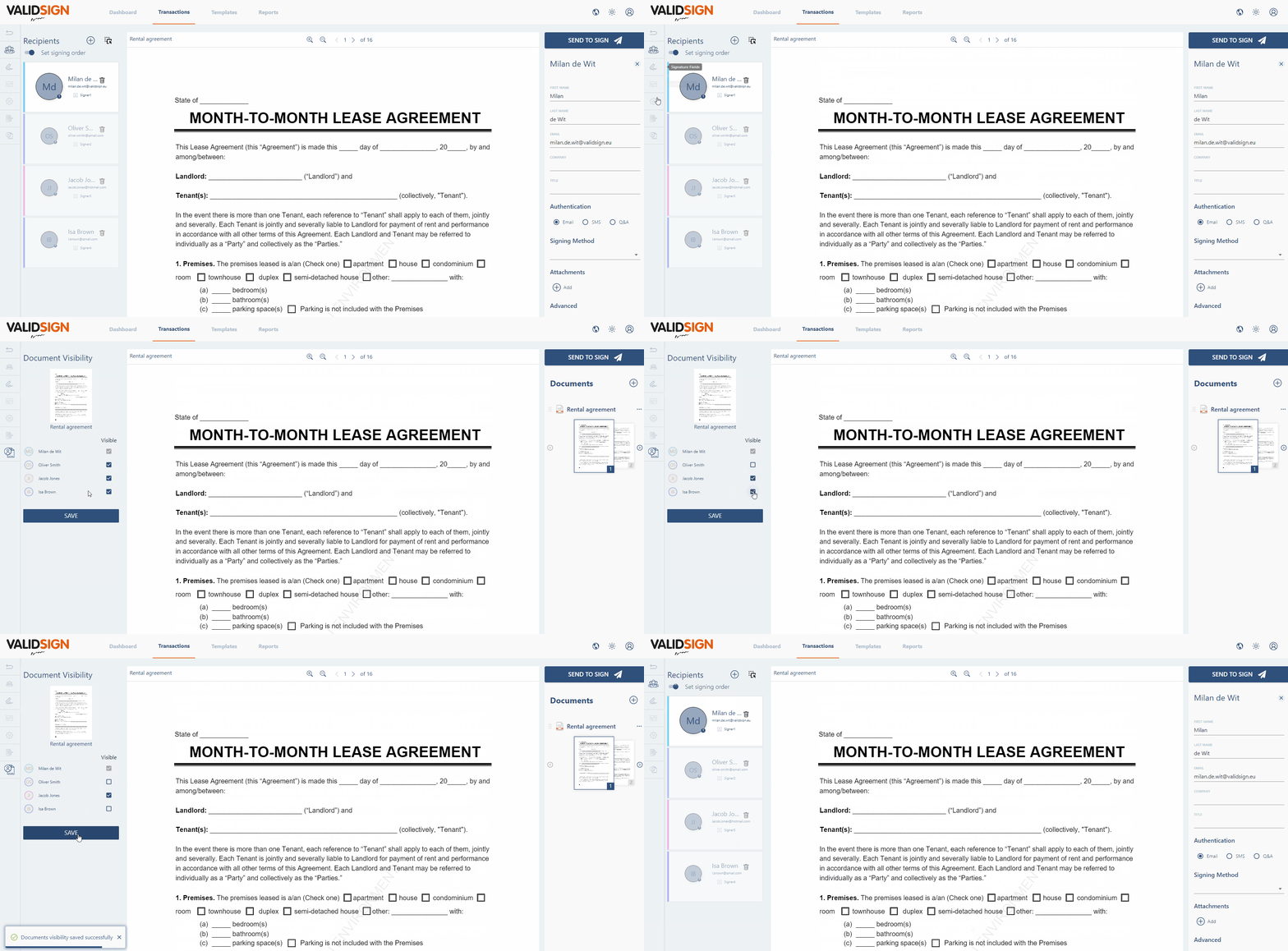
In the left column you can choose "Document visibility":

Install visibility
Under this button you can set the visibility per signer.
You can simply check the box next to the recipient to ensure that it is made visible to that recipient. You can set this per document.
To save these settings, click on "SAVE" at the bottom right.
Have questions about setting visibility per signer? Please contact us. This can be done via support@validsign.eu or 085 303 36 76.