
Yes, that's possible. If you go to 'Transactions' from the dashboard and then to 'Inbox' or 'Drafts' you will see an overview of the transactions that you have created or to which you have been invited. If you select one or more transactions, you can click on the trash can at the top right. In the image below this is shown with red boxes.
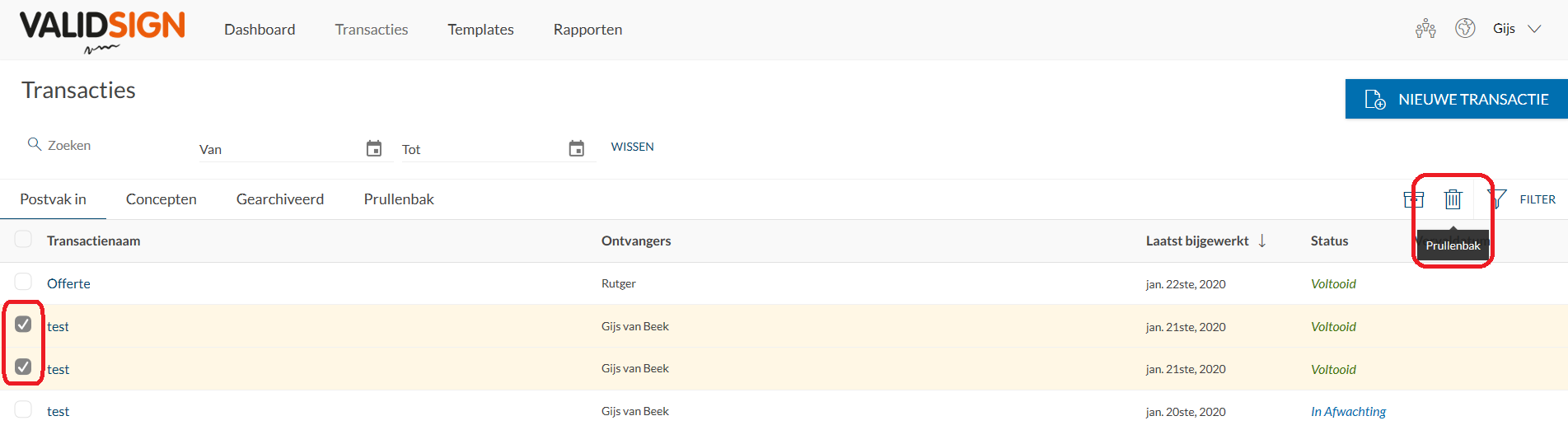
Note: The transactions of which you are only part will disappear from your 'Inbox', but will remain with the owner of the transaction. So you cannot permanently delete transactions that you have not created yourself.
The deleted transactions are moved to the 'Trash' folder in case you still want to recover them. If you also delete the transaction in the 'Trash' folder, your transaction is permanently deleted and cannot be recovered.
How do I know if I own a transaction?
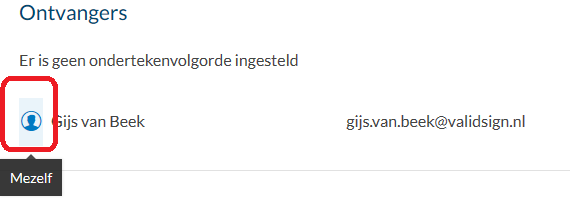
If you click on a transaction, you can look under 'Recipients' to find the icon of 'Myself' next to your name. This is shown below:
Also, as the owner of the transaction, you have four options that are displayed in the top right corner:
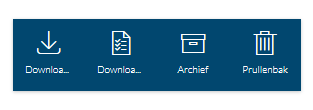
If you are only a signatory of the transaction, you will see only one option here.