ValidSign
Getting started

Using ValidSign through Safari

If you receive an error message containing a message about cookies when using ValidSign in the Safari browser, the following must be set: Step 1: Step 2: First
1 min readLast updated: 2022-07-06

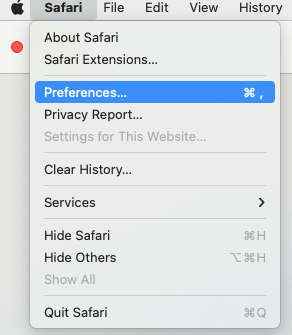
If you receive an error message containing a message about cookies when using ValidSign in the Safari browser, the following must be set:

Step 1:

blobid0.png

Step 2:

First two check marks must be unchecked.
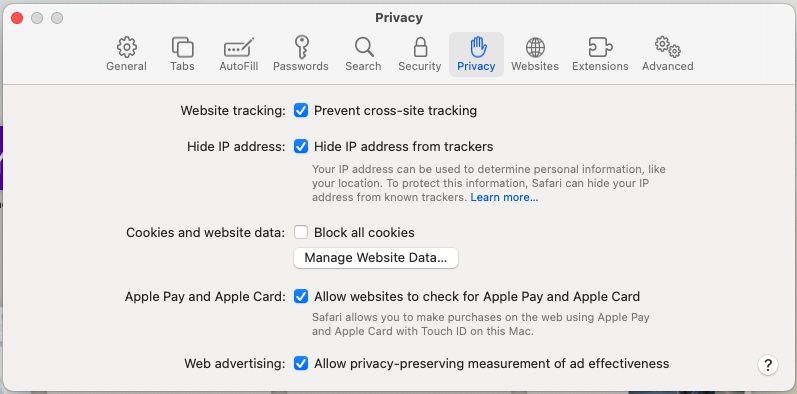
blobid1.png

Do you have questions about using ValidSign in Safari?

Please contact us. This can be done via support@validsign.eu or 085 303 36 76. 

Was this article helpful?

Need help?

Contact our support team

Contact us