
With auto-generated documents, files are sometimes embedded in the document. If this is the case, ValidSign cannot process the document and you will see the following error:

To solve this you can do the following:
- Open the file in Adobe Reader (or another PDF reader)
- Go to "File"> "Print"
- Change at "Printer" the current printer to "Microsoft Print to PDF"
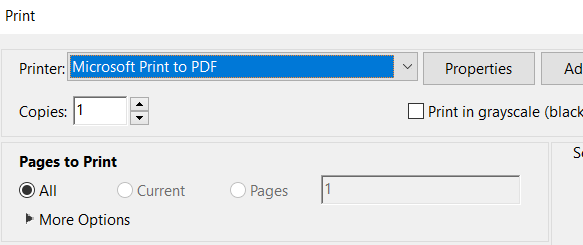
- Then click on "Print"
- Save the document
- Upload this new document in ValidSign
Do you have any questions about the error message above? Please contact us. This can be done via support@validsign.eu or 085 303 36 76.