
Yes, that’s possible! This can be useful, for example, if you want someone to agree to your terms and conditions. You can set this up in the designer when you create a new transaction.
In the designer, click the recipient at the top left who only needs to accept the document. Then switch on the “Accept only” toggle.
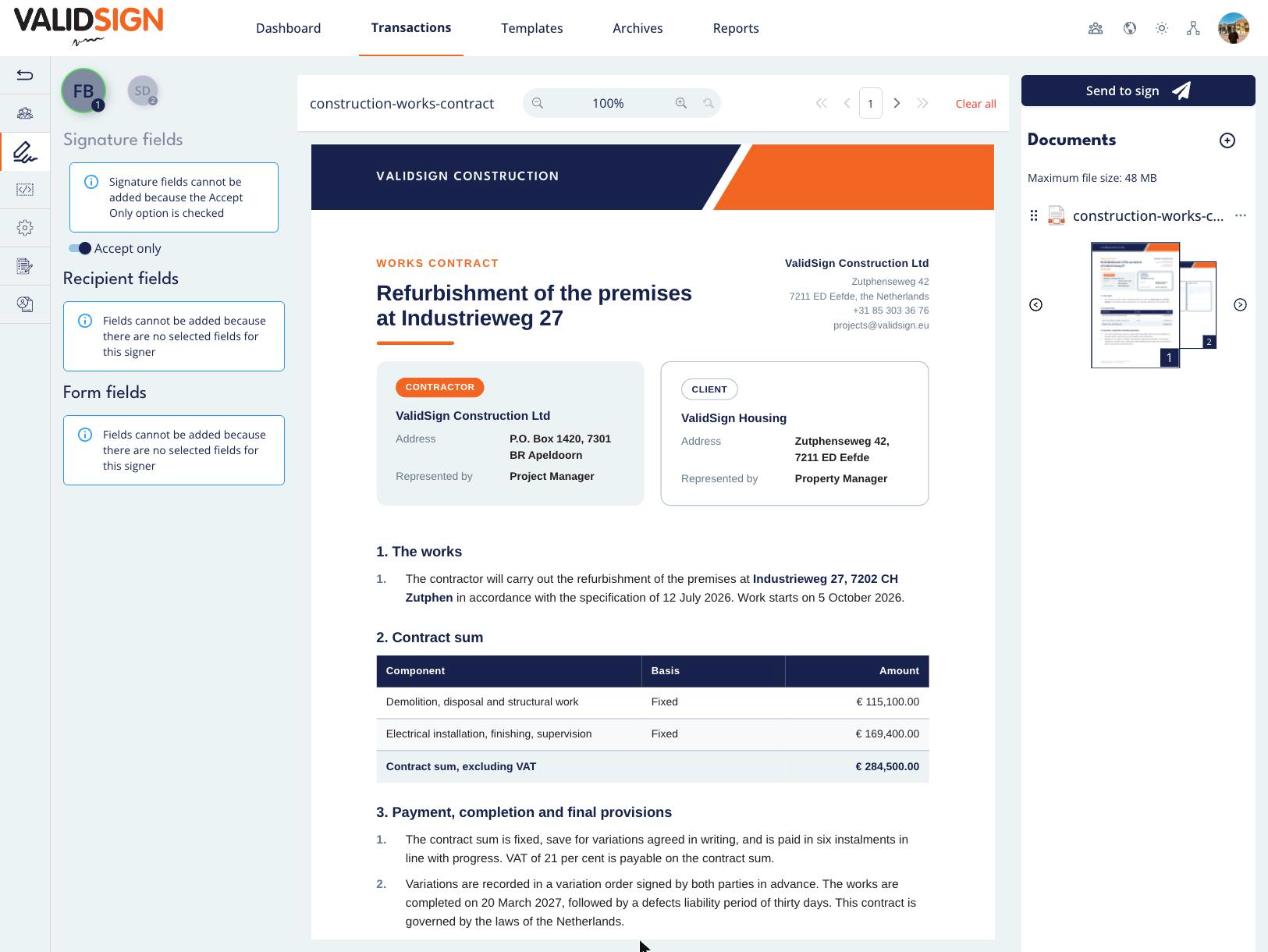
You can no longer add signature fields for this recipient. The message above the toggle also tells you this.
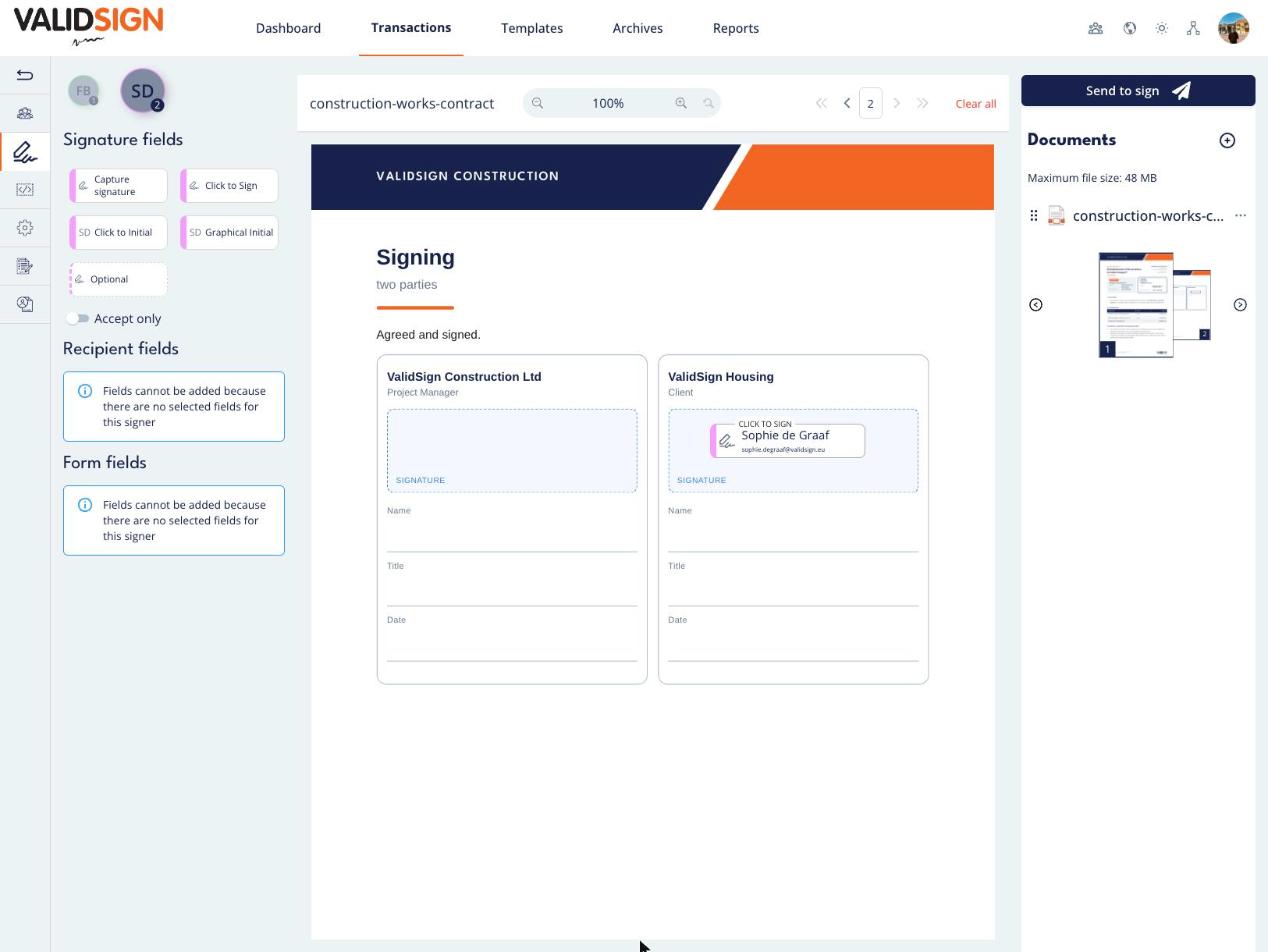
For the other recipients, you can simply place signature fields on the same document. This means that within one document, some recipients can accept it while others sign it.
An example: Frans Bakker only needs to accept the contents of a document, while Sophie de Graaf needs to sign it. You switch on “Accept only” for Frans Bakker. Then you select Sophie de Graaf and place a signature field for her on the document, for example a “Click to Sign” field.
Would you like someone to review and accept the contents of a document before the other recipients sign? Then you can set a signing order. You can find a detailed explanation of how to set a signing order [here](link to the English article).
Once all recipients have accepted or signed the document, a certificate is automatically added to the document. This certificate ensures the integrity of the document. After opening the document, you can always use this certificate to see whether any changes have been made. In the [evidence summary](link to the English article), you can also find out who accepted the document and who signed it.
Do you have questions about having a document approved? Please contact us. This can be done via support@validsign.eu or 085 303 36 76.