
Within ValidSign4Accountancy you can create your own customer base. You do this by adding different organizations. Via your dashboard, click on organizations at the top right. This button will take you to all your organizations.
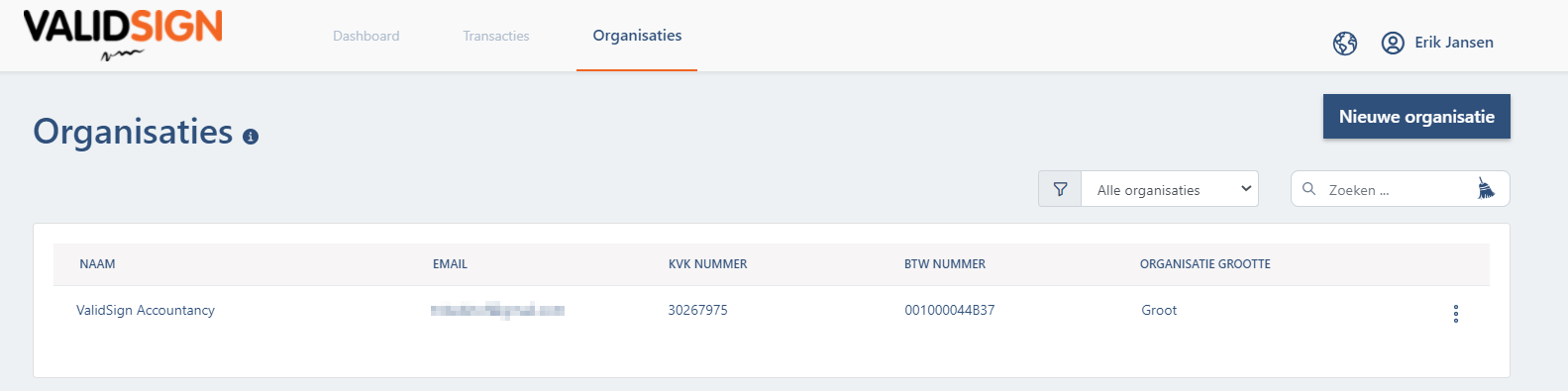
You can manually add organizations yourself. You can read here how to do that.
Within this overview you can use various filters. Via the leftmost button on the image below you can filter on established filters. Via the button next to it you can search for the organization by name.

There are three dots behind the organization. When you click on this, you will get more information about the latest activities about this user.

On this page you will find an overview of the past transactions and activities. You can also manage contacts within an organization here. You can also view the various transactions that have been made for the organization here. Likewise, you can change the details of a company via "Settings".

If you have any further questions about organizations within ValidSign4Accountancy, please contact the ValidSign Support Team. This can be done via support@validsign.nl or via 085 303 3676.